Extension Whitelist & Airdrop Guide
This guide explains how eligibility works inside Holvia and what users need to do to move toward qualification.
In Holvia, eligibility is not only about receiving a normal airdrop outcome. Users who reach eligibility are also considered part of the extension whitelist flow. This means progression has a broader purpose: it helps determine who qualifies for extension-related access and who is included in the wider airdrop evaluation.
The system is designed to be structured, visible, and progression-based. Instead of relying on assumptions, Holvia uses a staged flow built around connection, participation, points, tiers, and qualification.
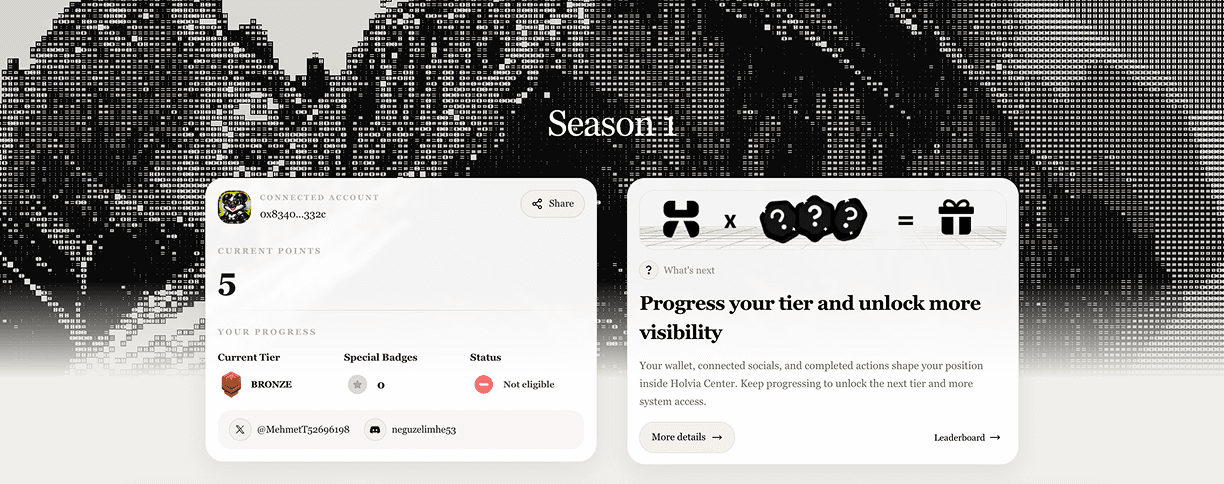
What eligibility means in Holvia
Eligibility in Holvia should be understood as a combined qualification state.
When a user becomes eligible, that user is not only moving toward a standard airdrop outcome. The user is also considered part of the extension whitelist track. In other words, eligibility is a signal that the user has progressed enough to be recognized across both sides of the system.
This is important because users should not think of the process as a single isolated reward path. Holvia uses one progression framework that supports:
- extension whitelist participation
- normal airdrop qualification
- visible progression through tasks, points, and tiers
This gives the system more structure and makes qualification more meaningful.
What this guide helps you understand
This page is for users who want to understand:
- how to enter the Holvia flow
- what must be connected before quests appear
- how users progress through tasks and points
- how tier movement works
- how eligibility connects both whitelist and airdrop logic
- what users should do first to avoid confusion later
If you are opening Holvia for the first time, this is the best place to begin.
The progression flow at a glance
At a high level, the system works like this:
- Connect your wallet
- Connect the required social accounts
- Unlock the quest experience
- Complete tasks and earn points
- Move through tier progression
- Reach eligibility once all required conditions are satisfied
Once eligibility is reached, the user is positioned inside both the extension whitelist path and the wider airdrop qualification path.
Step 1: Connect your wallet
The wallet is the main identity anchor inside Holvia.
It is the base account used to track user progress, completed tasks, tier movement, and final qualification state. Without a connected wallet, users cannot properly enter the system.
In practice, this means:
- the wallet is the primary identity
- progression is tied to that wallet profile
- eligibility is ultimately associated with that wallet
- whitelist and airdrop qualification both depend on wallet-linked progress
Wallet connection is not just the first click. It is the real starting point of the user journey.
Step 2: Connect required socials
After connecting a wallet, users are expected to connect the required social accounts.
This is an important gate in the progression flow. The system is intentionally structured so that the full quest experience does not open before the required connections are complete.
The purpose of social connection is to:
- verify the user profile more reliably
- support community and social-based tasks
- unlock the full quest interface
- make sure users move through the platform in the intended order
This means users should not expect the full progression experience to open after wallet connection alone.
Step 3: Unlock the quest experience
Once the required connections are complete, the quest flow becomes available.
This is the point where users move from setup into active participation.
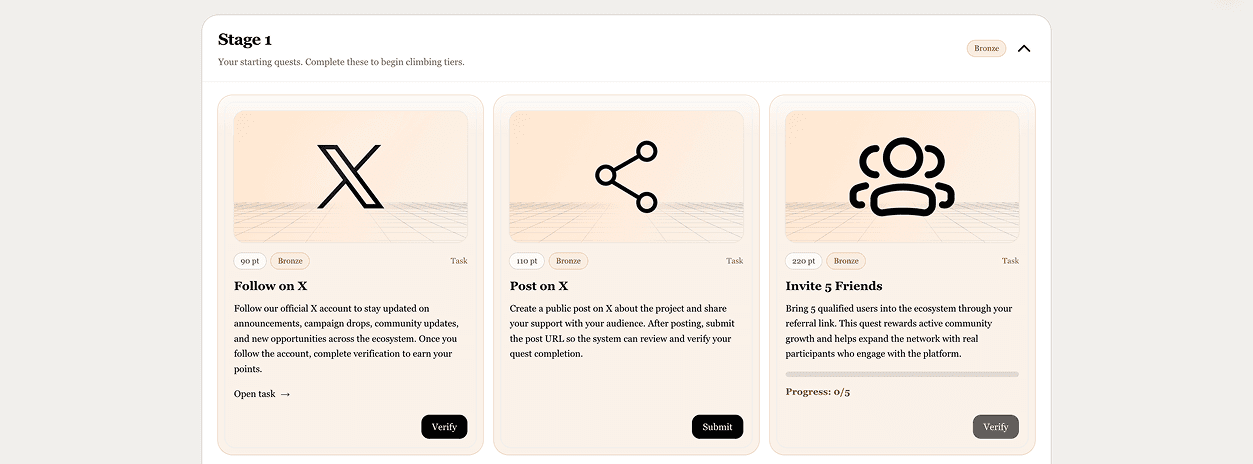
The quest system guides users through structured actions that contribute to progression. Depending on the platform design, these may include:
- account connection tasks
- community participation checks
- social verification steps
- ecosystem actions
- point-bearing tasks that support advancement across tiers
At this stage, setup ends and measurable progress begins.
Step 4: Earn points through tasks
As users complete valid tasks, they earn points.
Points are the core progression unit in Holvia. They help determine where a user stands inside the system and support movement across different tier levels.
Points matter because they:
- reflect verified progress
- accumulate across completed tasks
- influence tier position
- contribute to qualification requirements
- support both whitelist and airdrop evaluation
Users should treat points as part of the real eligibility logic, not as a decorative number.
Step 5: Move through tier progression
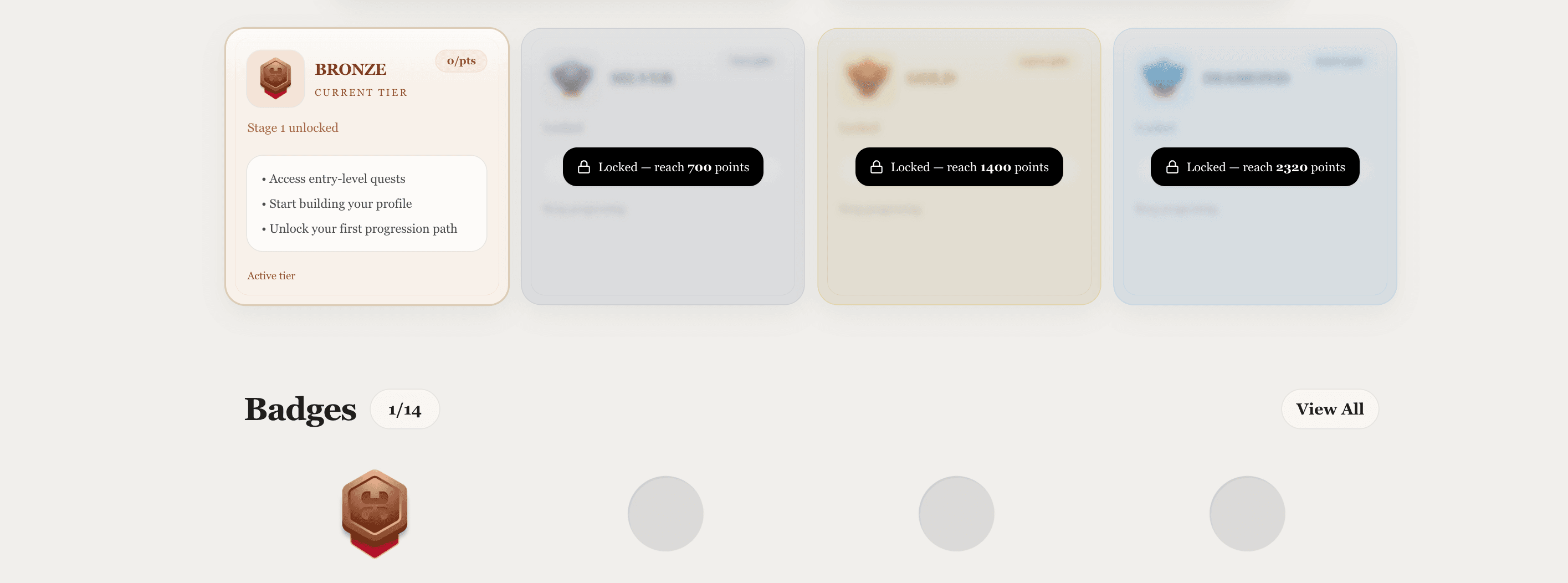
As points increase, users move through tiers.
Tiers are used to structure the user journey and define how progression develops over time. Instead of exposing everything at once, Holvia uses tier progression to create a staged experience.
This helps:
- make progress visible
- organize participation into levels
- show how far a user has advanced
- support qualification logic later in the funnel
Tiers are not just labels. They are progression milestones that help determine whether a user is approaching the required qualification level.
Step 6: Reach eligibility
Eligibility is the state users work toward through valid progression.
It is not based on one single action. It is the result of multiple requirements being satisfied together.
Depending on the platform rules, qualification can depend on:
- a connected wallet
- required social connections
- enough verified points
- reaching the required tier
- satisfying additional platform-defined conditions
When these conditions are met, the user enters the eligible state. In Holvia, that eligible state should be understood as meaningful for both:
- extension whitelist participation
- normal airdrop qualification
This is what makes the progression model important. It is not only about access, and it is not only about rewards. It is about identifying users who have progressed through the system in the intended way.
What users should do first
For the smoothest start, follow this order:
- Connect your wallet
- Connect all required socials
- Confirm that quests are now visible
- Start completing available tasks
- Track your points and tier movement
- Continue progressing until the platform confirms qualification
This order reduces confusion and helps users avoid trying later-stage actions too early.
How to think about the system
A good way to understand Holvia is to think of it as a progression framework rather than a simple claim page.
The product is built around:
- identity through wallet connection
- validation through social connection
- progress through quests
- measurement through points
- structure through tiers
- qualification through eligibility logic
That qualification then connects into both the extension whitelist track and the normal airdrop track.
Each layer builds on the one before it.
Common misunderstandings
“If I become eligible, does that only mean airdrop?”
No.
In Holvia, eligibility should be understood more broadly. Eligible users are not only relevant for normal airdrop qualification, but also for extension whitelist participation.
“I connected my wallet, so I should already be eligible.”
Not necessarily.
Wallet connection is only the entry point. Eligibility depends on the full progression path, not the first step alone.
“Why can’t I see quests yet?”
Usually because one or more required gates are not complete yet.
The quest system is intentionally locked until the required setup steps are done.
“Are points only visual?”
No.
Points are part of the actual progression logic and affect how users move through the system.
“Do tiers matter?”
Yes.
Tiers are part of how progression is structured and how qualification is evaluated.
Best practices
To move through the system more smoothly:
- keep the same wallet throughout progression
- complete required social connections early
- focus on verified completion, not just visible activity
- monitor your points and tier changes
- treat progression as cumulative, not instant
Consistency is usually more useful than rushing.
Summary
Holvia eligibility follows a clear sequence:
- connect identity
- unlock access
- complete tasks
- earn points
- progress through tiers
- reach qualification
That qualification matters across both sides of the system: users who become eligible are part of the extension whitelist path while also being considered within the normal airdrop qualification flow.